A common myth in healthcare technology is that better security automatically means worse usability.
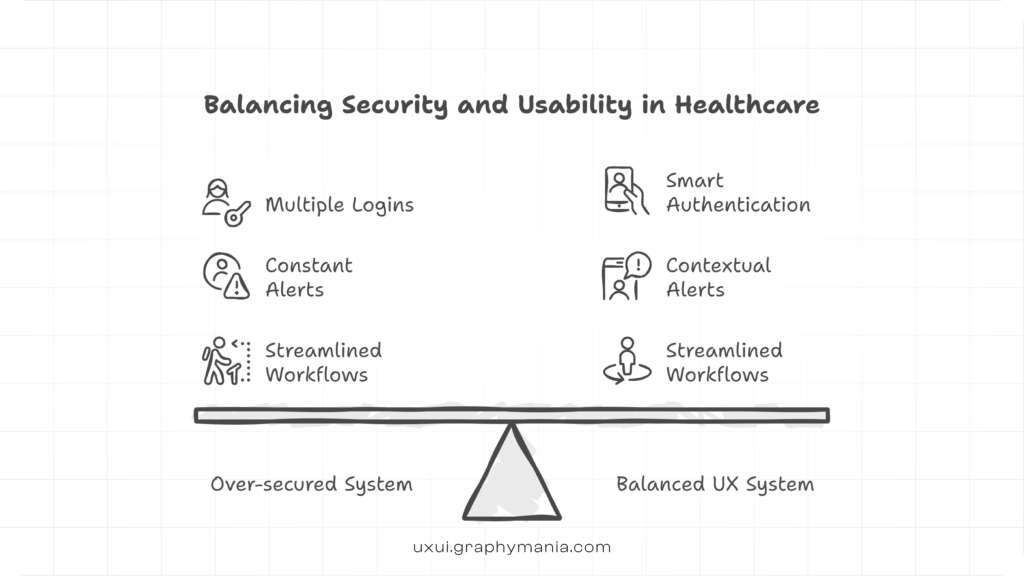
Anyone who has used a hospital portal with five logins, constant session timeouts, and unreadable alerts knows the frustration. What began as an attempt to protect patient data often ends up creating a confusing interface that slows down doctors and frustrates patients.
This tension sits at the center of Healthcare UX Design today. Regulations like HIPAA demand strict privacy safeguards, but healthcare platforms must also remain usable for clinicians, patients, and administrators who work under intense time pressure.
The real challenge is not choosing between compliance and usability. The challenge is designing systems where both work together.
In modern UX in Healthcare, compliance must be embedded into the design process itself. When done correctly, security becomes almost invisible to users while still protecting sensitive health data. Modern healthcare platforms require a structured approach to usability, which is why many organizations invest in specialized healthcare UX design services.
This article explores how teams can design HIPAA-compliant Healthcare User Experience without creating friction.
Why Compliance Often Breaks Healthcare UX
Many healthcare applications fail not because of weak compliance, but because compliance was treated as a late-stage requirement.
When security is added after the interface is built, it usually leads to design compromises such as:
• Excessive authentication steps
• Poorly timed security alerts
• Overwhelming data dashboards
• Workflow interruptions for clinicians
These problems increase cognitive load for medical staff who already operate in high-pressure environments.
In a hospital setting, even small usability problems can have serious consequences. For example:
A physician reviewing patient vitals during rounds may need to navigate through multiple screens just to access medication history. Each additional step increases the chance of missing critical information.
Poorly designed alerts can also lead to alert fatigue, where clinicians begin ignoring warnings because too many appear.
The goal of Healthcare UX Design should therefore be clear:
Protect patient data while keeping clinical workflows smooth and intuitive.
A Practical Framework for HIPAA-Friendly Healthcare UX
Instead of treating compliance as a checklist, successful teams follow a design framework that aligns security, usability, and clinical workflows.
The following five design layers help achieve that balance.
Layer 1: Reduce Cognitive Load in Clinical Workflows
Healthcare systems are used by professionals who make life-critical decisions quickly. Interfaces must support that speed.
This is where Human Factors Engineering (HFE) becomes essential. HFE focuses on designing technology that fits human behavior and limitations.
Effective healthcare platforms reduce cognitive overload by:
• Prioritizing the most important clinical data
• Grouping related patient information logically
• Using visual hierarchy in clinical data visualization
For example:
Instead of displaying dozens of patient metrics in a dense table, a dashboard might highlight abnormal vitals using color indicators and trend charts.
This approach allows clinicians to recognize patterns immediately without scanning large amounts of data.
Better Healthcare User Experience reduces errors while still maintaining secure access controls.
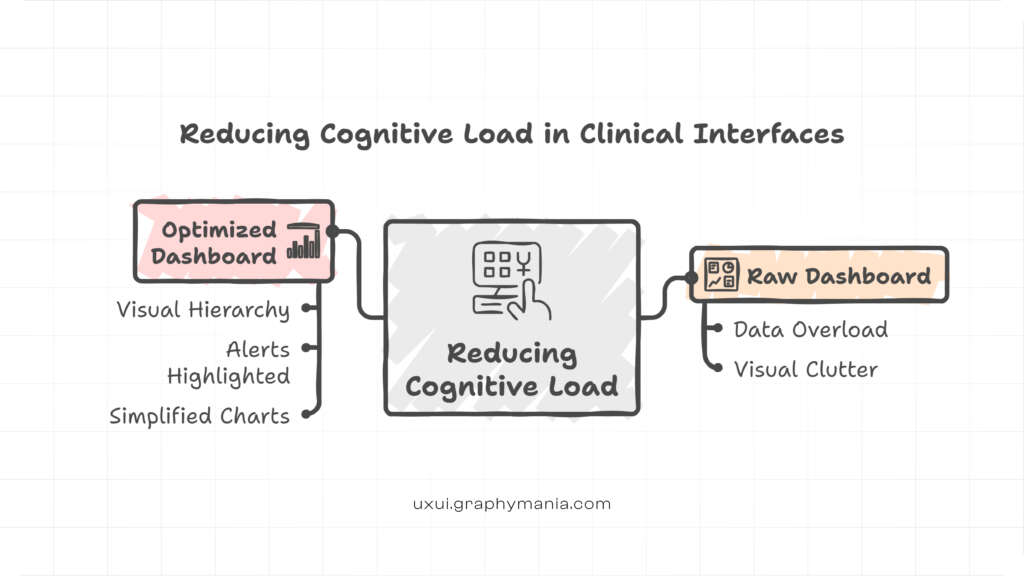
Modern hospitals increasingly adopt structured approaches to UX in Healthcare design systems to make complex clinical data easier to interpret.
Layer 2: Use Progressive Disclosure for Sensitive Data
HIPAA requires strict control over protected health information (PHI). But displaying all security restrictions upfront often overwhelms users.
A better approach is progressive disclosure.
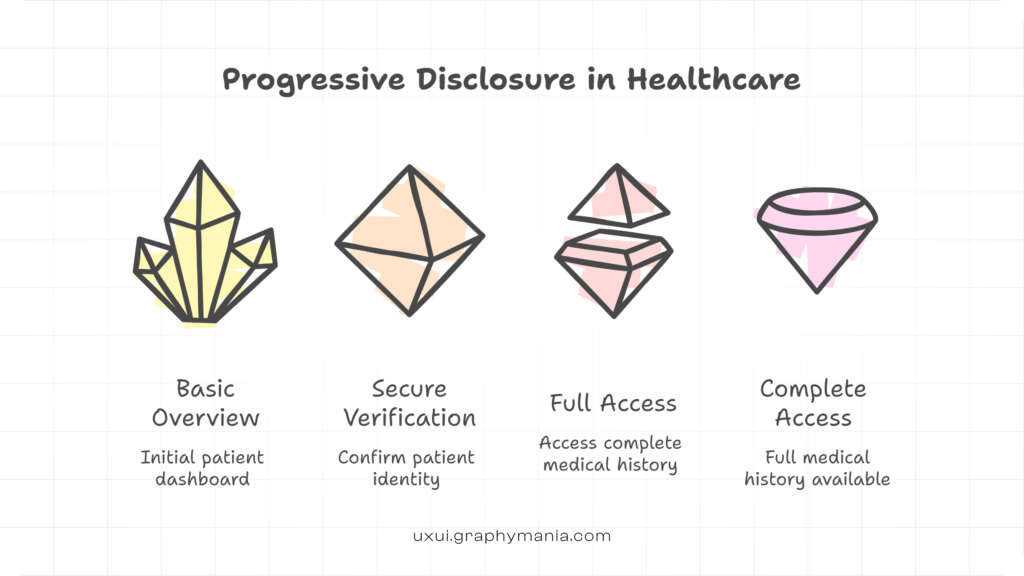
Progressive disclosure reveals sensitive information only when it is relevant to the user’s task.
For example:
A nurse reviewing a patient chart may initially see high-level health information. More sensitive details such as psychiatric records appear only after additional authorization.
This method supports compliance while keeping the interface clean.
In UX in Healthcare, progressive disclosure helps maintain security without flooding the user with unnecessary controls or warnings.
Layer 3: Design Smart Authentication Instead of Friction
Many healthcare platforms rely on heavy authentication layers that disrupt workflow.
Examples include:
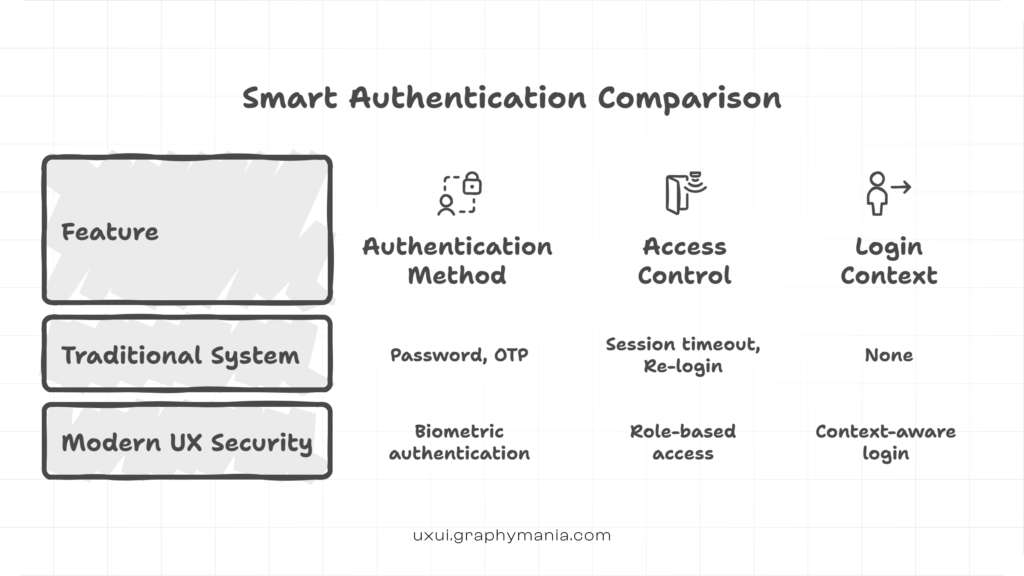
• Constant session timeouts
• Repeated password entry
• Complex login sequences
These practices technically meet security requirements but severely damage usability.
Modern Healthcare UX Design uses smarter authentication models such as:
• Role-based access controls
• Biometric authentication
• Context-aware security checks
For instance:
A physician accessing records from a hospital workstation may require fewer authentication steps than someone accessing the same data from a public network.
This approach protects patient data while preserving workflow speed.
Layer 4: Prevent Errors With Critical Action Safeguards
Healthcare interfaces must prevent dangerous mistakes without slowing down professionals.
Design patterns like critical action lockouts help achieve this balance.
Critical action lockouts are safeguards used for high-risk actions such as:
• Prescribing medications
• Deleting patient records
• Finalizing treatment orders
Instead of blocking users with complex confirmation screens, the system uses clear prompts and reversible actions.
For example:
A prescribing interface might show a dosage comparison chart to prevent medication errors rather than simply asking, “Are you sure?”
This design reduces mistakes while maintaining efficiency.
Layer 5: Build Accessibility Into Healthcare UX
Healthcare technology must serve a wide range of users, including elderly patients and people with disabilities.
Compliance with WCAG (Web Content Accessibility Guidelines) ensures that platforms remain usable for everyone.
Accessible healthcare platforms include features such as:
• High contrast text for readability
• Screen reader compatibility
• Large touch targets for mobile devices
Accessibility is especially important for telehealth platforms, where patients interact directly with digital interfaces without clinical assistance.
A well-designed Healthcare User Experience ensures that even first-time users can schedule appointments, review test results, and communicate with providers easily.
Designing for the Reality of Patient Workflows
While clinicians face workflow pressure, patients experience a different challenge: treatment burden.
Treatment burden refers to the effort patients must spend managing their health.
Digital platforms can either reduce or increase that burden.
For example:
A telehealth app that requires patients to manually upload medical documents every visit creates unnecessary friction.
A better solution integrates medical records automatically while presenting information through intuitive clinical data visualization.
This is where cross-device usability testing becomes crucial.
Patients often switch between devices such as:
• Smartphones
• Tablets
• Desktop portals
Testing across devices ensures that healthcare platforms remain usable in real-world scenarios.
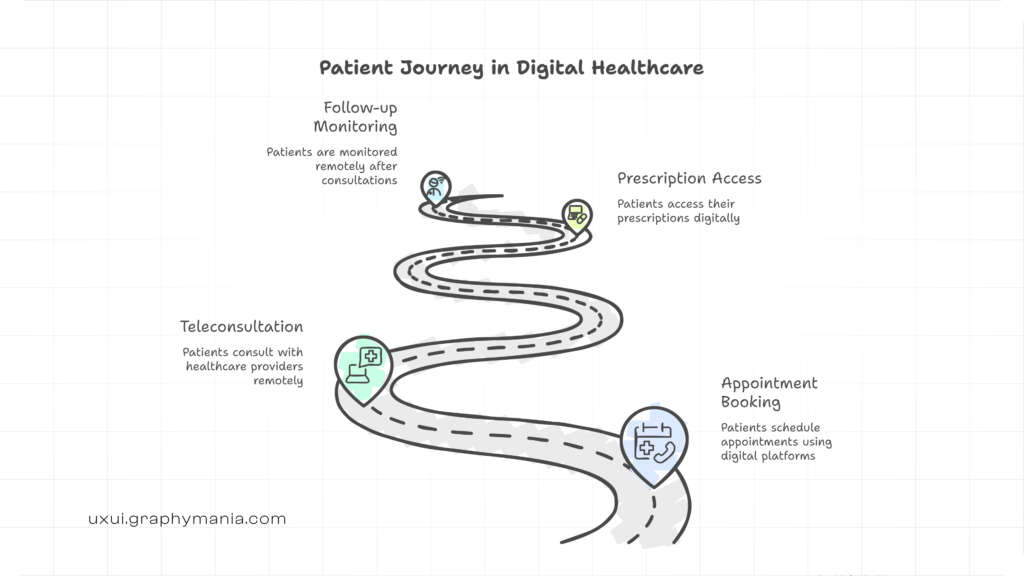
Healthcare platforms are evolving rapidly as organizations move toward patient-first digital healthcare ecosystems.
The Future of Secure Healthcare UX
Healthcare technology is evolving rapidly.
Artificial intelligence, remote monitoring, and advanced telehealth platforms are expanding how care is delivered.
But as digital healthcare grows, so do privacy concerns.
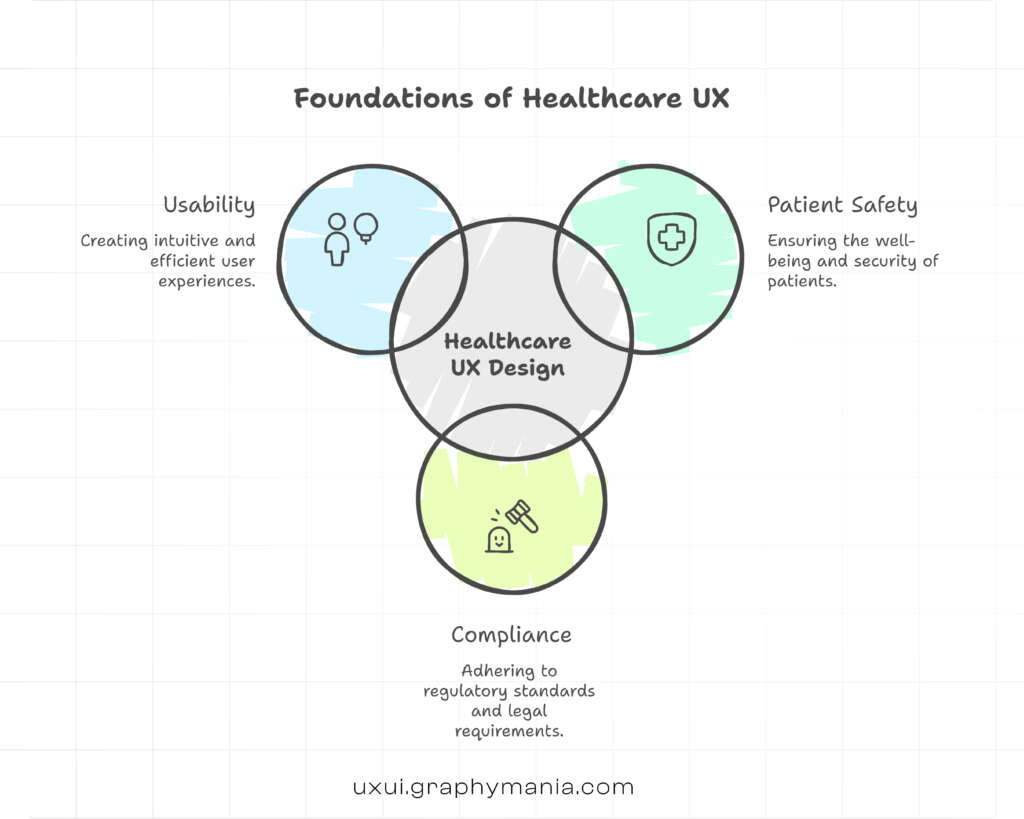
Future Healthcare UX Design will need to balance three priorities simultaneously:
Strong patient data protection
Seamless clinical workflows
Accessible patient experiences
Organizations that treat UX as part of compliance strategy will gain a competitive advantage.
Because in healthcare technology, usability is not just a design goal.
It is a patient safety requirement.
Conclusion: Compliance Should Support, Not Block, Healthcare UX
The biggest mistake healthcare teams make is assuming that security must come at the expense of usability.
In reality, the best systems integrate both from the beginning.
By applying Human Factors Engineering, reducing cognitive overload, using progressive disclosure, and designing smarter authentication systems, teams can create platforms that are both secure and intuitive.
Effective Healthcare UX Design protects patient data while allowing clinicians and patients to interact with technology confidently.
As digital health continues to expand, organizations that prioritize strong Healthcare User Experience alongside compliance will build platforms that healthcare professionals actually trust and use.
"Great healthcare UX does not force user to think about compliance. It quietly protects their data"

MOHD ARMAN
FAQs
1. Why is Healthcare UX Design important for HIPAA compliance?
Healthcare UX Design ensures that security measures are implemented in ways that do not disrupt clinical workflows or patient interactions.
2. What is cognitive load in healthcare interfaces?
Cognitive load refers to the mental effort required to process information. Poor interface design can overload clinicians and increase the risk of errors.
3. How does progressive disclosure improve healthcare UX?
Progressive disclosure reveals information only when necessary, reducing clutter while maintaining data privacy and compliance.
4. What role does accessibility play in healthcare UX?
Accessibility ensures healthcare platforms follow WCAG standards so patients with disabilities can use digital health services effectively.
5. Why is usability testing important for healthcare platforms?
Cross-device usability testing helps ensure that healthcare applications work smoothly on smartphones, tablets, and desktops used by patients and clinicians.